
Why most HubSpot installs underperform, what a properly configured setup actually looks like for a business under $25M, and how to turn a tool your team tolerates into one they actually use.

Find the right resource based on where you are today
Unlock Exclusive Access
The Side Car HubSpot Playbook
You're paying for HubSpot. You're not getting what you paid for.
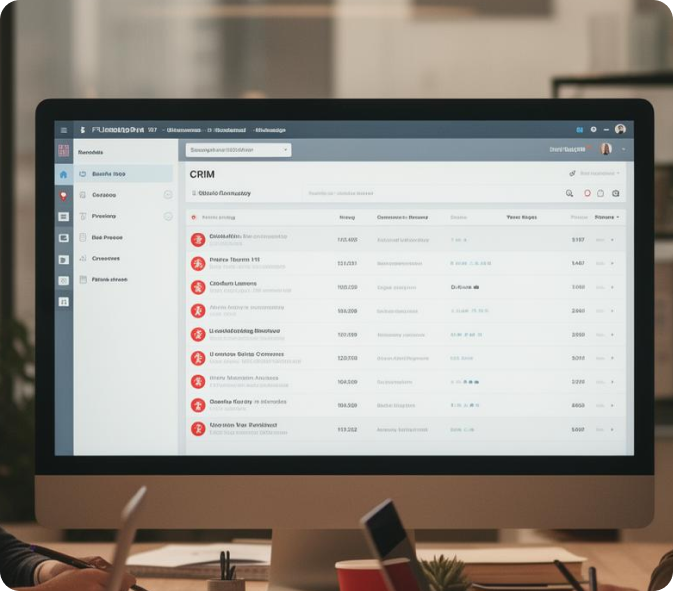
HubSpot is the most capable CRM platform available to small and mid-sized businesses. It's also one of the most commonly underused. Most teams have it configured at about 20% of what it can do, treat it as a contact database rather than a revenue operating system, and wonder why it hasn't made things better. The problem is almost never HubSpot. It's how it was set up and whether the setup reflects how the business actually sells.
Which category are you in?
Before getting into configuration, it's worth being honest about where you currently stand. Most businesses fall into one of three categories.
01
Category one: HubSpot as a contact list\
The CRM has contacts and companies. Maybe some deals. Emails get logged occasionally. There's no defined pipeline structure, no consistent stage usage, and the reporting dashboard shows numbers nobody looks at. The team views it as a place to store information rather than a tool to manage revenue. This is the most common setup and the furthest from what HubSpot is actually built to do.
02
Category two: HubSpot as a task manager
There are deals in the pipeline and reps are logging activity. But the stages don't reflect a real process, close dates are aspirational, and the data in the system doesn't reflect what's actually happening in deals. Reports exist but nobody trusts them because the inputs aren't clean. The team uses it because they have to, not because it helps them sell.
03
Category three: HubSpot as a revenue operating system
The pipeline architecture reflects how the business actually sells. Stage definitions are clear and consistently applied. Required fields at each stage ensure the data is complete enough to be useful. Reporting gives leadership a real-time view of pipeline health, conversion rates, and activity. The team uses it because it makes their job easier, not because someone is watching.
The difference between category one and category three isn't a different product. It's configuration and discipline. The same HubSpot licence that's functioning as a contact list in one business is running the entire revenue operation in another. What separates them is a deliberate setup and a team that knows exactly how to use it.
HubSpot doesn't fix a broken sales process. But a well-configured HubSpot, built on top of a defined sales process, makes that process visible, measurable, and enforceable in a way that nothing else can.
Side Car is an official HubSpot Partner.
We install, configure, and manage HubSpot inside client engagements as part of our revenue operating system work. We're not a generic CRM consultant. We configure HubSpot to reflect how your business specifically sells. If you're in category one or two, the gap between where you are and where you could be is almost entirely a configuration and process problem, not a technology problem.

The signs your HubSpot isn't working
Your pipeline doesn't reflect reality.
The deals in HubSpot and the deals you're actually working are two different lists. Reps update it after the fact, if at all, and close dates get moved so often the forecast is meaningless.
You don't know your conversion rates.
You can't tell what percentage of discovery calls turn into proposals, or what percentage of proposals close, because the data isn't clean enough to calculate it reliably.
The team has their own system.
Spreadsheets, notebooks, email threads. HubSpot is where they put information after the fact, not where they work day to day.
Onboarding new reps takes forever
because there's no clear process in the CRM for them to follow. They watch how existing reps use it and pick up whatever habits those reps happen to have.
Nobody looks at the reports.
Either because they don't exist, because they're measuring the wrong things, or because the data going into them isn't reliable enough to make the output worth reading.
What a properly configured HubSpot looks like
Pipeline architecture that reflects how you sell
The pipeline stages in HubSpot should map directly to your actual sales process, not to the default stages HubSpot ships with. Each stage has a name that means something specific to your team, a clear definition of what a deal in that stage looks like, and defined exit criteria that tell a rep exactly what needs to be true before a deal advances. For most businesses under $25M, five to seven stages is the right number.
Activities logged where they belong
Calls, emails, meetings, and notes should live on the contact and deal records they relate to. HubSpot's email integration, calling tools, and meeting scheduler all log automatically when configured correctly. A rep who has to manually log every activity will eventually stop doing it. Build the system so logging happens as a byproduct of working rather than as a separate task.
Required fields that enforce process discipline
Required fields at each stage mean a deal cannot advance until the information you've decided matters has been captured. If discovery isn't complete without knowing the budget situation and the decision maker, make those required fields before the deal can move to proposal stage. The system enforces the standard rather than relying on the rep's memory.
A reporting dashboard worth looking at
The default HubSpot dashboard reports on things that sound useful but rarely drive decisions. A properly configured setup for a small sales team tracks four to six numbers: pipeline value by stage, conversion rate by stage, average deal length, activity by rep, and forecast accuracy over time. A dashboard with twenty-five widgets is a dashboard nobody reads.
Required fields don't add friction to a good sales process. They add accountability to a sloppy one. If a rep is complaining that required fields slow them down, the more likely explanation is that they were skipping those conversations rather than having them.
The features most small businesses never use but should
Sequences
Automated outreach sequences that send a series of emails and create follow-up tasks on a defined schedule. A rep who manually tracks follow-ups will eventually drop one. A sequence that runs automatically until a prospect responds doesn't miss anything. For prospecting and post-proposal follow-up, sequences are one of the highest-return features in HubSpot and one of the least used in small businesses.
Meeting scheduler
A booking link that connects to a rep's calendar and lets prospects schedule time without back-and-forth email. Every friction point between a prospect expressing interest and getting a meeting on the calendar is a drop-off risk. The meeting scheduler eliminates most of them, and it logs the meeting automatically in the CRM when it's booked.
Email tracking
Real-time notification when a prospect opens an email or clicks a link. A rep who knows a prospect just opened their proposal for the third time in an hour has information about when to follow up that their gut instinct alone would never give them.
Most HubSpot installs are configured by someone who knows HubSpot, not by someone who knows sales.
The difference shows up immediately. A configuration built by a HubSpot admin produces a technically correct setup. A configuration built by someone who understands how your business sells produces a setup that actually reflects reality and reinforces the right behaviour. Side Car builds the second kind. It's the only kind worth having.

The most common HubSpot mistakes in small businesses
Using the default deal stages without customising them
HubSpot's default stages are generic placeholders. They don't reflect your process, your language, or your customers' buying journey. A pipeline built on default stages produces data that's technically in the CRM but doesn't tell you anything useful about how your business actually sells.
Building reporting before the data is clean
Reports built on unreliable data produce unreliable conclusions. The sequence matters: define the process, configure the pipeline to reflect it, enforce data quality through required fields, then build the reports. Reports built before that foundation is in place are decorative rather than functional.
No required fields at any stage
Without required fields, the pipeline fills with incomplete deal records. Close dates get invented. Budget information gets skipped. Decision makers go unnamed. The result is a forecast built on hope rather than data.
Not training the team on why, only how
A team that knows how to enter a deal in HubSpot but doesn't understand why the specific fields and stages matter will take shortcuts the moment the leader stops watching. Training needs to cover the logic of the setup, not just the mechanics of using it.
A broken HubSpot setup isn't just an inconvenience. It's a revenue problem. When your pipeline data is unreliable, your forecast is unreliable. When your forecast is unreliable, your decisions are unreliable. The cost of a poorly configured CRM isn't just wasted software spend. It's decisions made without the information you should have had.
HubSpot is not magic. It doesn't fix a broken process, develop an undertrained team, or create accountability where none exists. What it does, when it's set up correctly, is make the process visible, make activity measurable, and make accountability easier to have because the data is there to have it against.
For a business that has done the work of defining how it sells and building a team that can execute that process, a well-configured HubSpot is the infrastructure that makes it scalable. That's what it's worth building properly. And it's worth having someone who understands both the platform and the sales process build it, rather than just one or the other.
Want a team that actually understands before they pitch?
Discovery is coachable. The gap between where most teams are and where they could be isn't talent, it's practice and feedback. If you want to work on this specifically, book a call and let's talk about what that looks like in your business.